
◆ websites for used car lots
Every car on your lot on its own page, with price and mileage filters, a trade-in form and a financing enquiry — found from a phone in the evening, not scrolled past on a marketplace.
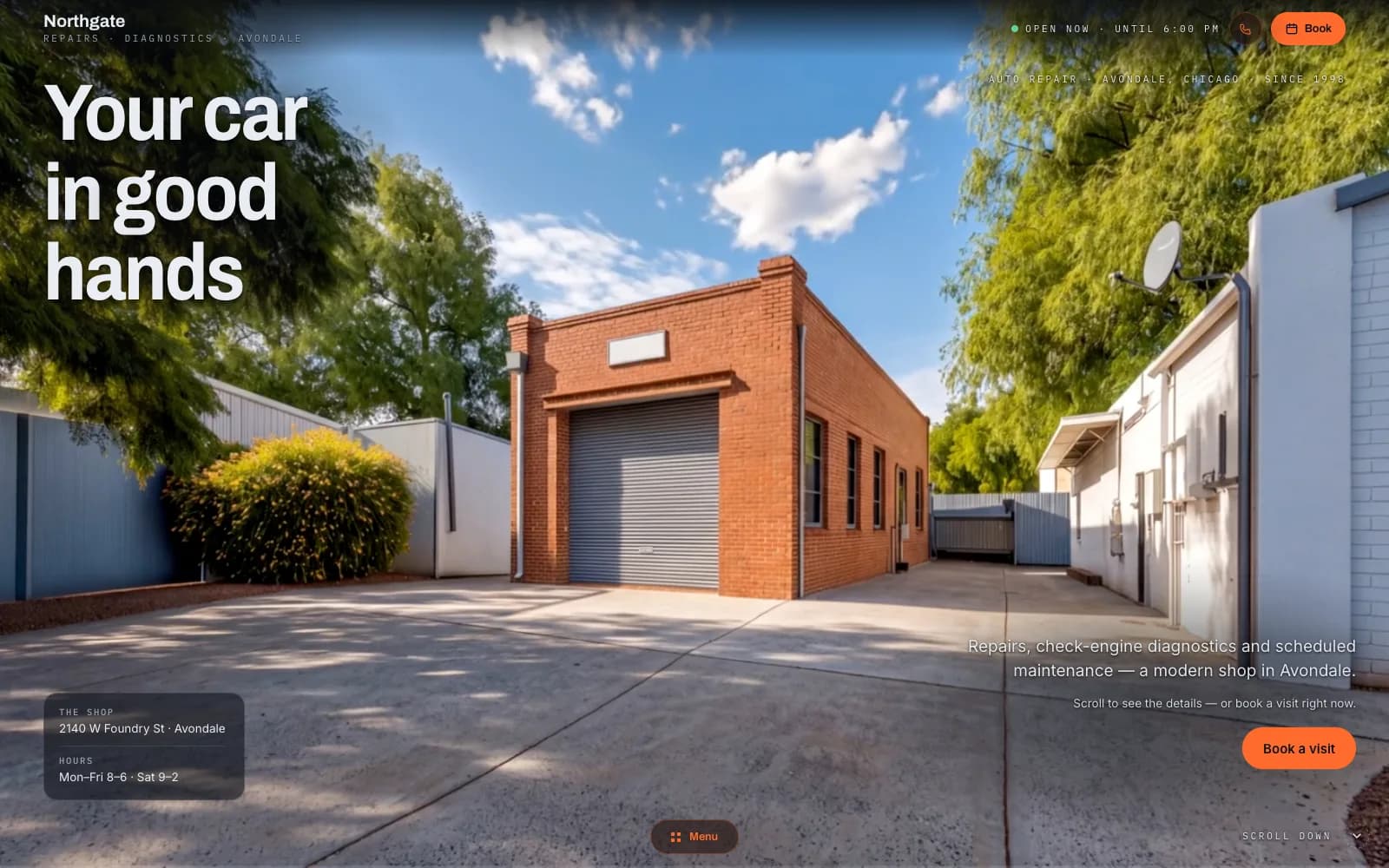
Closest demo for the structure and features: an auto-repair site — for a used car lot the service list is replaced by a filterable inventory with a page per car. Your site gets its own design.
01
Inventory with filters
Price, mileage, year, fuel and gearbox filters on one list, sorted the way buyers actually search: cheapest first, newest first, lowest mileage. The list is the site's front door, not a page hidden behind a menu.
02
A page for every car
Each car has its own address with a full gallery, spec table, equipment list and your description. The page is rendered on the server, so Google can index it on its own and a search for that model in your town can land straight on it.
03
Trade-in form
Make, model, year, mileage, a few photos from the phone and a contact number. You get the lot, call back with a figure, and the buyer arrives with a car to leave behind.
04
Financing enquiry
A short form on every car page: this car, monthly budget, own contribution, contact. It reaches your inbox with the car's link in it, so you know what they were looking at before you dial.
05
WhatsApp and call bar
On a phone, a bar pinned to the bottom of every page: call, WhatsApp, directions. Each tap is logged as a lead, so a quiet week and a busy week look different in your panel, not just in your gut.
06
Customer reviews from Google
Your latest reviews shown on the site, next to a map that opens navigation in one tap. A used car buyer reads reviews before they read a spec table; put them where they look.
Used car lot website design usually means one of two things: a free page from the listing portal that looks like everyone else's, or a template someone set up years ago and nobody has logged into since. Both send the buyer back to the marketplace, where your car sits next to forty others and the portal charges you for the contact. A buyer who searches a model and a town and lands on your own page sees your photos, your price, your phone number and nothing else. That is the whole point of having a site: a place where the comparison stops. The portal stays as a source of traffic, but the conversation happens on your ground.
I build websites for independent car dealers the way I build everything else: with AI doing the hours and me making the decisions. The site is server-rendered, so every car page is a real page Google can index, not a script that draws the list after the fact. The inventory is the part that changes daily, so it is built to be touched daily: a car goes in with photos from a phone, a sold car comes off, a price drops. There is nobody between you and the person who knows the code, so a question about the filters or the photo order gets an answer from the person who can change it, and the answer is usually a change, unlimited on the Studio plan, rather than a quote.
There is no build fee and no agency retainer. You pay a monthly plan; I host the site, keep it updated and change what you ask me to change. If the phone stops ringing from it, you cancel — the plan runs month to month, and the photos stay yours. The site runs on a free Givyx subdomain; if you want your own domain, you buy it in your name and I connect it for free.
first month free
- Up to 15 pages
- Everything in Starter
- Online booking
- Unlimited changes (new features quoted first)
- Advanced SEO
- Analytics dashboard
- Priority support
- 1 design refresh / year
First month free — you pay from month two, and only if you keep the site. Changes are unlimited on the Studio plan, and online booking is included. Other plans on the pricing page; no build fee on any of them.
Can the cars come in from OTOMOTO or a CSV, so I don't enter them twice?
If the tool you use to list on OTOMOTO can export a file (CSV or XML) or has an API, yes: I read that export on a schedule and the site updates itself, photos included. If all you have is the portal login and nothing that exports, you add cars in the admin panel, and I set it up so a car takes a couple of minutes, not an afternoon.
How do I add a car myself?
From your phone or a laptop: photos, make, model, year, mileage, price, a few equipment ticks and a description. If you'd rather not write the description, send me the spec and I draft it for you to correct. Marking a car as sold takes one tap and it drops off the list the same moment.
How long until it's live?
Within a few days you get a clickable version with a handful of your cars in it. Launch comes once you've approved the copy and the photos, usually two to four weeks in. The rest of the stock you load in the meantime, or I import it if there's a file.
Do I own the domain and the listings?
Yes. The site runs on a free Givyx subdomain; if you want your own domain, you buy it in your name and I connect it for free, so it's yours from the start. The photos, descriptions and the inventory data are yours. If you leave, you take them with you, and I export the list as a file so nothing has to be typed again.
Can I see which cars bring the calls?
Every call tap, WhatsApp tap and form is counted with the page it came from and the source (Google, Facebook, a QR code on the windscreen). So you see that the estate got the calls and the coupe got none, and which ad brought them. All of it sits in your panel; nobody has to send you a report.
◆ let's build
Tell me roughly how many cars you keep and where the listings live today. I read every message and reply within a day.