
◆ websites for podiatrists
A price list patients can read before they call, online booking on every treatment and your first visit explained in your own words, on a page that opens fast on a phone.
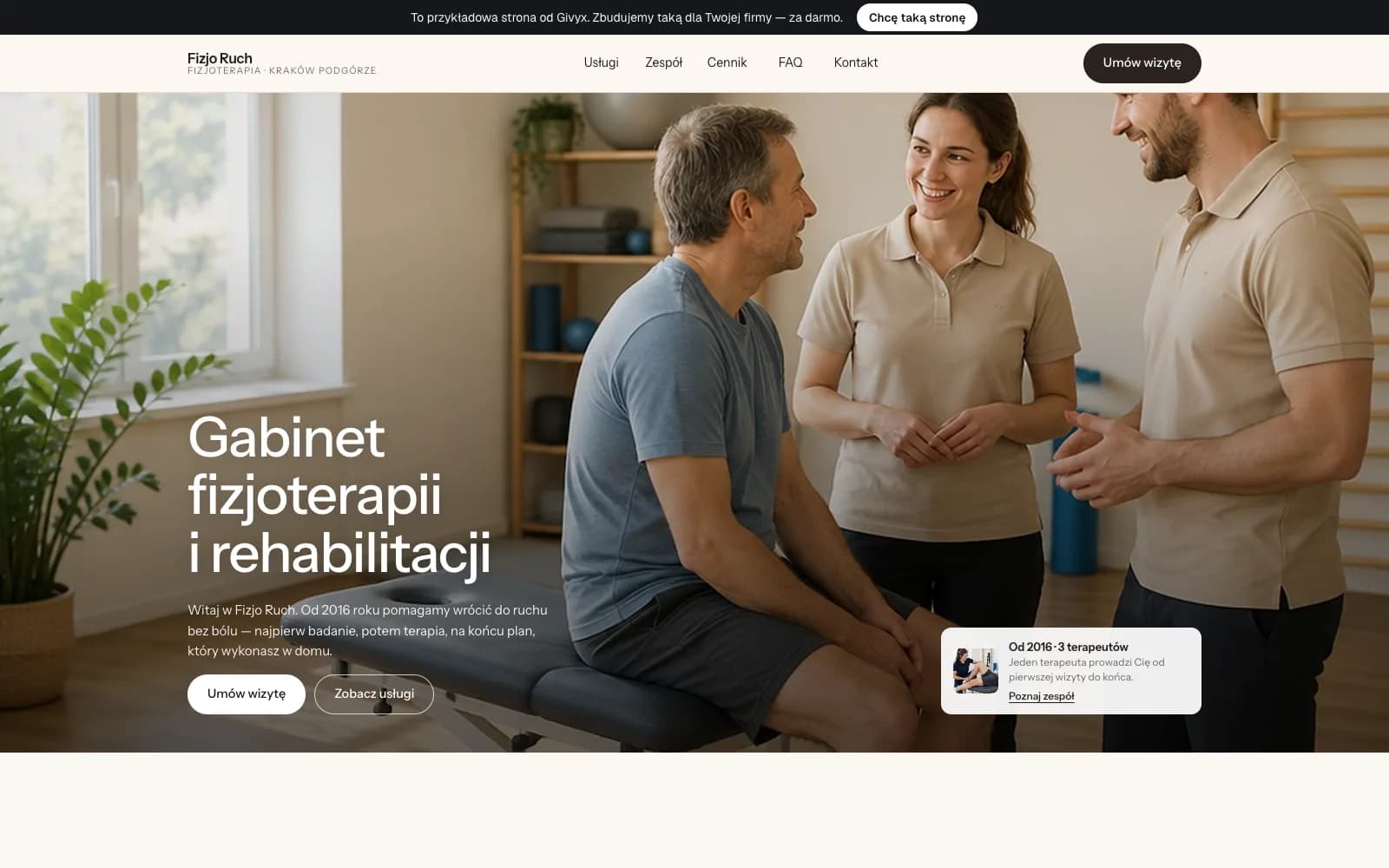
Closest demo: a fictional physiotherapy practice on the same shell, in Polish, with a price list, visit lengths and online booking on every service. A podiatry site gets the same layout.
01
Treatments with prices
Every treatment, one line per variant, with one price and the length of the visit: consultation, ingrown toenails, warts, cracked heels, diabetic foot care. The main ones get their own pages, because patients search podiatrist prices plus their town. You change a price in the panel.
02
Online booking
The patient picks the treatment and a free slot from your calendar, then adds a line on what brings them in. The form asks for consent to process health information. The booking lands in your panel and your inbox with the patient's number. It is included in the Studio plan.
03
The first visit, step by step
A short block on how the first visit goes, how long it takes, what to bring and how to prepare. You write it or approve my draft, and it reads in a minute on a phone. If you only see patients by appointment, the page says so up front.
04
What you do, in your own words
Patients search podiatrist or dermatologist, and what a podiatrist does about an ingrown nail. The answers on your site come from you: what you take on, how you work, when you send someone to another specialist. I set them out as questions and answers.
05
Address, access, home visits
Hours, a map that opens navigation, parking and whether a wheelchair gets in. If you visit patients at home, a separate page with the area you cover and how it works. The phone and address match your Google profile, so nobody goes to an old address.
06
Podiatry and beauty on one site
If you also do pedicures or nails, the site has two clear parts under one address: podiatry treatments for patients and beauty services for clients. Each group lands straight on its own price list.
On September 24, 2026, the Google profiles of 36 one-person podiatry practices in Poland without a working website were checked. 20 had no website link at all, 9 pointed it at Facebook, 5 at a booking app (Booksy or iPodologia) and 2 at a domain with no working site behind it. That is a picture of practices without a site, not the whole field, and the patient there gets a phone number and little else. Meanwhile the patient is searching podiatrist prices plus their town and asking what a podiatrist does about an ingrown toenail. A Facebook page answers none of that. A site with prices and a page for each treatment does, and since 11 of those 36 practices ask patients to book ahead, the visit starts at the booking button.
I build the site myself, with AI doing the hours and me reading every word before it goes live. In a foot care practice that matters: nothing is promised, no painless, no before-and-after photos that imply an outcome, and anything medical is your call. The site is server-rendered, so each treatment page can be indexed on its own. In 17 of the 21 checked practices that publish a service list, ingrown toenail treatment is on it, so that is usually the first page I build. A patient's foot photo goes on the site only with that patient's written consent.
There is no build fee: I build the site for free, and you pay the monthly plan only while you use it. The first month is free, there is no contract to sign, and changes on the Studio plan are unlimited. Bookings on your own site carry no per-booking fee and no commission on a new patient. If you use Booksy, you don't have to leave it; the questions below cover how the two work together.
first month free
- Up to 15 pages
- Everything in Starter
- Online booking
- Unlimited changes (new features quoted first)
- Advanced SEO
- Analytics dashboard
- Priority support
- 1 design refresh / year
First month free — you pay from month two, and only if you keep the site. Changes are unlimited on the Studio plan, and online booking is included. Other plans on the pricing page; no build fee on any of them.
I already use Booksy or another booking app. Do I have to switch?
No. The Book button on the site can open your booking page, so you keep one calendar. Booksy's Boost terms, checked September 24, 2026, exclude bookings through the Booksy widget on your website from the new-client fee. The Givyx booking in the Studio plan has no per-booking fee. The guide linked below has the numbers.
What can the site say about treatments?
It describes: what the treatment is, how long the visit takes, what it costs and who does it. It doesn't promise results, doesn't compare you with other practices and doesn't use words like painless. I draft it that way and you check it; anything medical is your call, not mine.
How does booking handle patient data?
The booking form has a consent box for processing health information that the patient ticks themselves, and the line about the problem is optional. Bookings sit in your panel, not in a spreadsheet sent around by email. Your privacy policy comes from you or your lawyer; I place it and link it.
How long until it's live, and what do I need to send?
A first version to click through in a few days; live once you've approved the treatments, prices and photos, usually within two to four weeks. I need your price list, your hours and a few phone photos of the room and the entrance. Describing the treatments takes longest, so start with the ones patients ask about most.
Do I need my own domain, and will the price change?
You don't need a domain. The site runs on a free Givyx subdomain; if you want your own domain, you buy it in your name and I set it up for free. The Studio plan is $49 a month in the US and 249 zł in Poland, and an existing client's price never changes.
◆ let's build
Tell me which treatments you offer, whether you do home visits and where bookings come from today: phone, Booksy, Facebook. I read every message and reply within a day.