
◆ websites for beauty salons
Your price list, your gallery and a booking form where the client picks the treatment and the person — on a page that opens on a phone faster than the next Instagram story.
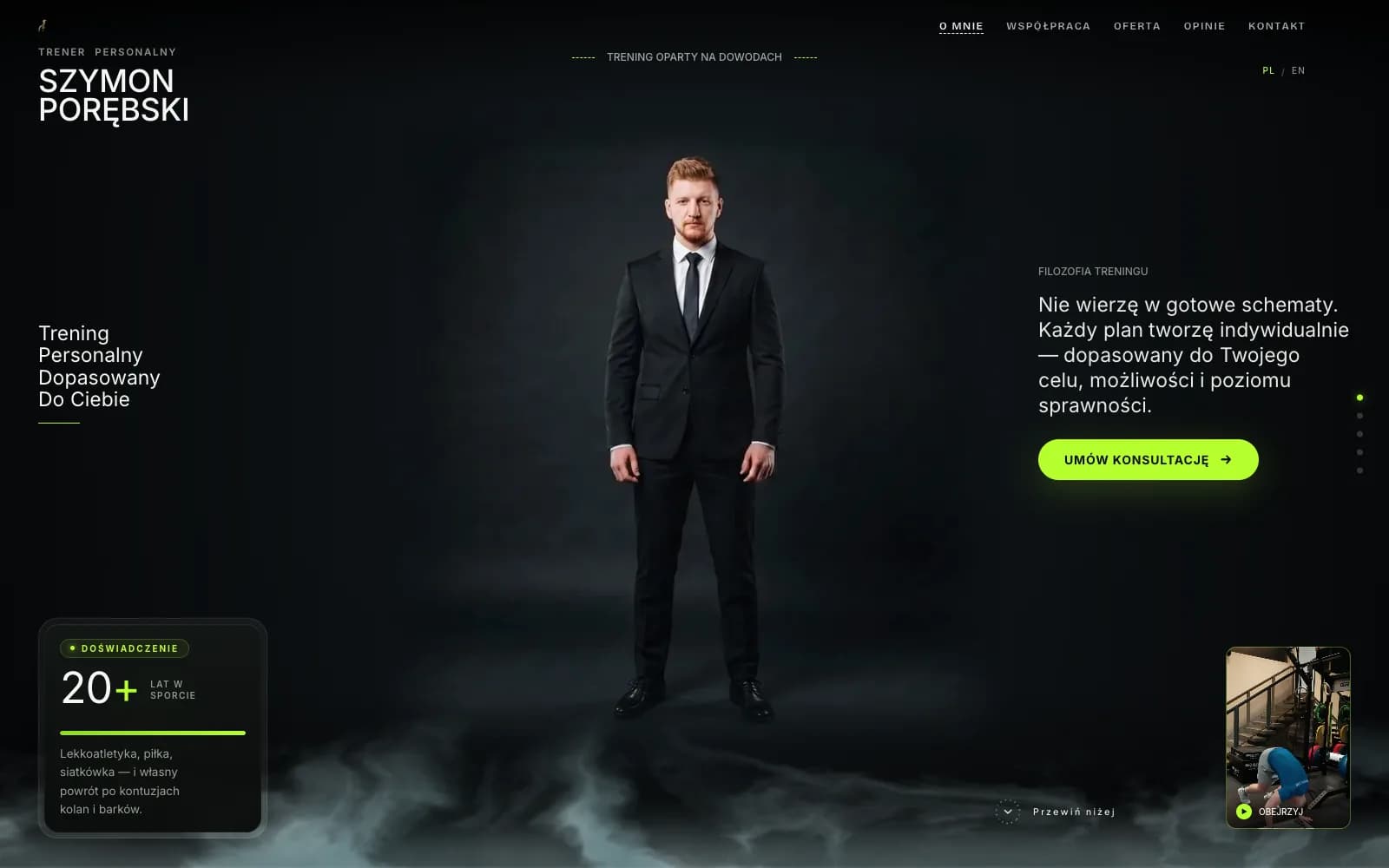
Closest demo for the structure and features: a personal trainer's site — a salon swaps the training offer for a service list with prices, a booking form with a staff pick and a gallery of work. Your site gets its own design.
01
Services with prices
Every treatment with its price and how long it takes, grouped the way you group them at the desk: face, body, nails, brows. You change a price in the panel and it's on the site a minute later.
02
Booking with a staff pick
The client picks the treatment, then the person, then a slot that is free for that person. The booking lands in your panel and your inbox with the client's number, so you confirm the way you like.
03
Gallery of your work
Your own work, not stock: lashes, nails, colour, before and after. Photos are compressed for phones, so a page with forty of them still opens fast.
04
Instagram on the page
A row of your best posts on the home page, each linking to Instagram, and the profile button in the header. Google finds the site; Instagram keeps the relationship going.
05
WhatsApp and call bar
On a phone, a sticky bar at the bottom: book, call, WhatsApp. A client who wants to ask whether you have anything on Saturday does it in one tap, and each tap counts as a lead.
06
Customer reviews from Google and map
The latest reviews pulled onto the page, next to a map that opens navigation. A new client reads three reviews and decides; the site puts them where they get read.
Most salons run on Instagram and a booking app, and that works until someone types manicure plus your town into Google and finds the salon two streets over. A beauty salon website that shows up in that search, opens instantly and has a booking button on the first screen is what turns the search into a visit. The client isn't comparing logos; she is checking three things in under a minute: what it costs, what the work looks like, and whether she can book now without calling. If any of the three is missing, she is already on the next result. Stock photos of a woman with a towel on her head answer none of them, which is why they are the first thing I remove.
I build websites for salons myself, with AI doing the hours and me making the calls. The site is server-rendered, so each service has its own indexable page: lash lift plus your town can land straight on your lash page, not on a directory that sells the same slot to the salon next door. One person is accountable for the whole thing — the copy, the photos, whether the booking form actually books. When you want a new treatment on the list or a price changed, you message the person who knows the code, not a ticket queue, and you get a straight answer on what is a change (unlimited on the Studio plan) and what is a new feature that needs a quote. The same structure works for hair: the services and the photos change, the rest stays.
There is no build fee and no agency retainer. You pay a monthly plan; I host the site, keep it updated and change what you ask me to change. The site runs on a free Givyx subdomain; if you want your own domain, you buy it in your name and I connect it for free. The photos are yours. If the site stops earning its keep, you cancel — the plan runs month to month, with no annual contract to break, and the price is on the pricing page before you write the first message.
first month free
- Up to 15 pages
- Everything in Starter
- Online booking
- Unlimited changes (new features quoted first)
- Advanced SEO
- Analytics dashboard
- Priority support
- 1 design refresh / year
First month free — you pay from month two, and only if you keep the site. Changes are unlimited on the Studio plan, and online booking is included. Other plans on the pricing page; no build fee on any of them.
I already use Booksy. Do I need my own booking?
You don't have to switch. If Booksy works for you, the booking button on the site can simply open your Booksy page and you keep one calendar. The difference with booking on your own site is that the client stays on your address, sees your prices and your people, and nobody shows her the salon next door underneath. Some salons run both for a while and watch which one clients pick.
Can I take a deposit when someone books?
Not as standard: the booking collects the request and you confirm it. A card deposit before confirmation is an addition I quote first; card payments already run on the platform, so it's wiring, not a new system. If you go for it, I'd ask for it only where a no-show really costs you, like a three-hour colour, and leave a quick brow tidy without it; the amount and the list of services are yours to set.
Do I need professional photos?
Not to start. Phone photos of real work, taken in the same light against the same wall, look better than stock and are what clients want to see. I crop and compress them; the blurry ones don't go in. A professional session later is a nice upgrade, not a condition.
How long until it's live?
After a few days there's a version to click through. It goes live when the service list, the prices and the photos have your approval, usually within two to four weeks. The slowest part is normally collecting the photos, so start with those.
Do I own the domain and the content?
Yes. The site runs on a free Givyx subdomain; if you want your own domain, you buy it in your name and I connect it for free, so it's yours from the start. The photos and the text are yours. If you leave, you take them with you; nothing is locked to me.
◆ let's build
Tell me what you do, how many people work with you and whether you already use a booking app. I read every message and reply within a day.