
◆ websites for home services
A page for each town you work in, a quote form where the customer sends photos of the problem, and a call button that is there when the pipe bursts — built for the phone, because that is where the job comes from.
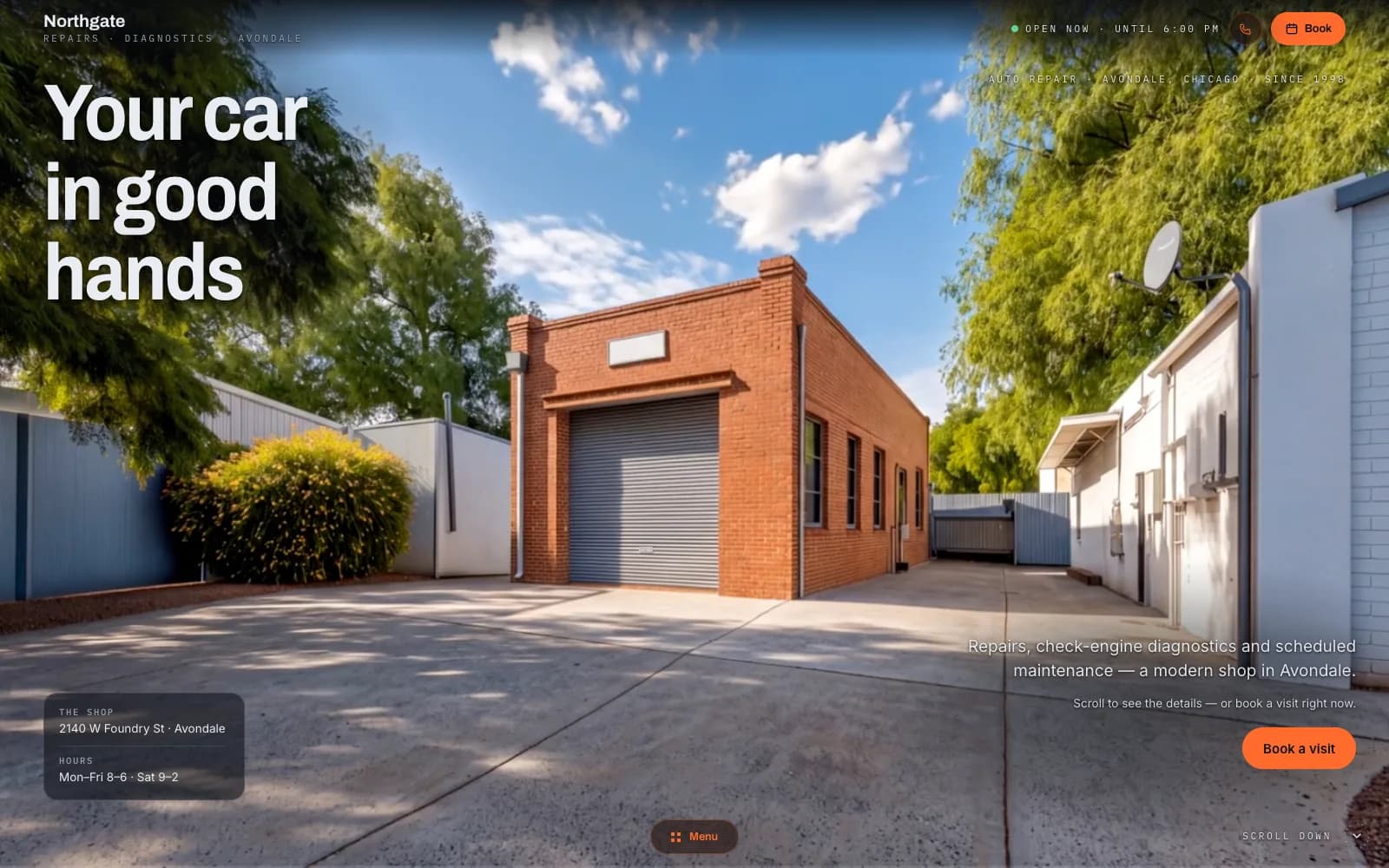
Closest demo for the structure and features: a workshop site with a call bar and a contact form — a trades site adds a page per town you serve, a quote form with photos and an emergency banner. Your site gets its own design.
01
Service-area pages
One page per town or district you cover, each with the services you do there and a map of the area. A search for electrician plus a town name lands on that page, not on a directory that charges you per lead.
02
Quote request with photos
The customer describes the job, adds photos of the leak, the fuse box or the bathroom, and leaves a phone number. You see the job before you drive there and quote from the sofa.
03
Call bar
On a phone, a sticky bar at the bottom: call, WhatsApp, quote. A customer with water on the floor doesn't scroll for a number; every tap is counted as a lead.
04
Customer reviews from Google
The latest reviews pulled onto the page and onto every town page. Nobody lets a stranger into the house without reading what the last customer said.
05
Before and after
Your jobs in pairs: the bathroom before and after, the old board and the new one, the trench and the finished drive. Phone photos are fine; I crop and compress them.
06
Emergency banner
A banner I switch on when you tell me you're taking emergency call-outs, a message is enough, with the number and the hours you are actually answering, and off again when you say so. The site promises nothing you can't keep at 3am.
Most websites for contractors are a Facebook page, a listing on a directory and a number on the van, and that works until the directory starts charging per lead and the customer who searched for plumber plus your town found someone else. The customer picks whoever comes up first, opens fast, has reviews and a number they can tap. They don't compare portfolios; they compare who answers. A site with a page per town, reviews on it and a call button on the first screen is what puts you in that pick, and a quote form with photos is what turns the ones who don't want to call into jobs you can price without driving out.
I build it myself, with AI doing the hours and the decisions staying mine. It is server-rendered, so every town page and every service page is indexable on its own — that is the whole point of the service-area pages, and it doesn't work on a site that only renders in the browser. A plumber website and an electrician's differ in the service list and the photos, not the structure; a renovation firm gets longer job pages with more pictures. One person is accountable for the copy, the photos and whether the quote form actually delivers the pictures to your inbox. When you start covering a new town, you message me, not a ticket queue, and you get a straight answer on what is a change (unlimited on the Studio plan) and what is a new feature that needs a quote.
There is no build fee and no agency retainer. You pay a monthly plan; I host the site, keep it updated and change what you ask me to change. The site runs on a free Givyx subdomain; if you want your own domain, you buy it in your name and I connect it for free. The photos are yours. If the site stops bringing jobs, you cancel — the plan runs month to month, with no annual contract to break, and the price is on the pricing page before you write the first message.
first month free
- Up to 15 pages
- Everything in Starter
- Online booking
- Unlimited changes (new features quoted first)
- Advanced SEO
- Analytics dashboard
- Priority support
- 1 design refresh / year
First month free — you pay from month two, and only if you keep the site. Changes are unlimited on the Studio plan, and online booking is included. Other plans on the pricing page; no build fee on any of them.
How many towns can I have pages for?
As many as you actually work in. Each page needs its own few sentences: what you do there, how quickly you get there, a job you did nearby. Otherwise Google treats them as copies and shows none of them. I write the first batch with you; adding a town later is a message.
How do the photos on the quote form work?
The customer taps the photo field, picks a few pictures from the phone, and they arrive with the request in your panel and your inbox. Big photos are shrunk on the way, so a fuse-box shot from a modern phone doesn't clog anything. You see the job before you price it.
How long until it's live?
A first version you can click through in a few days. Live once you've approved the service list, the town pages and the photos, usually within two to four weeks. The slowest part is normally digging out before-and-after photos, so start with those.
Do I own the domain and the content?
Yes. The site runs on a free Givyx subdomain; if you want your own domain, you buy it in your name and I connect it for free, so it's yours from the start. The photos and the text are yours. If you leave, you take them with you; nothing is locked to me.
Can I see where the jobs come from?
Every call tap, WhatsApp tap and quote form is counted with its source: Google, a Facebook post, the QR on the van. You also see which town page brings calls and which one sits idle. You see it in your panel; there's no report to wait for.
◆ let's build
Tell me your trade, the towns you cover and whether you take emergency call-outs. I read every message and reply within a day.