
◆ websites for auto repair shops
A service list with prices from, a booking form that fills the calendar while you're under a car, and a call button that's there on every phone screen.
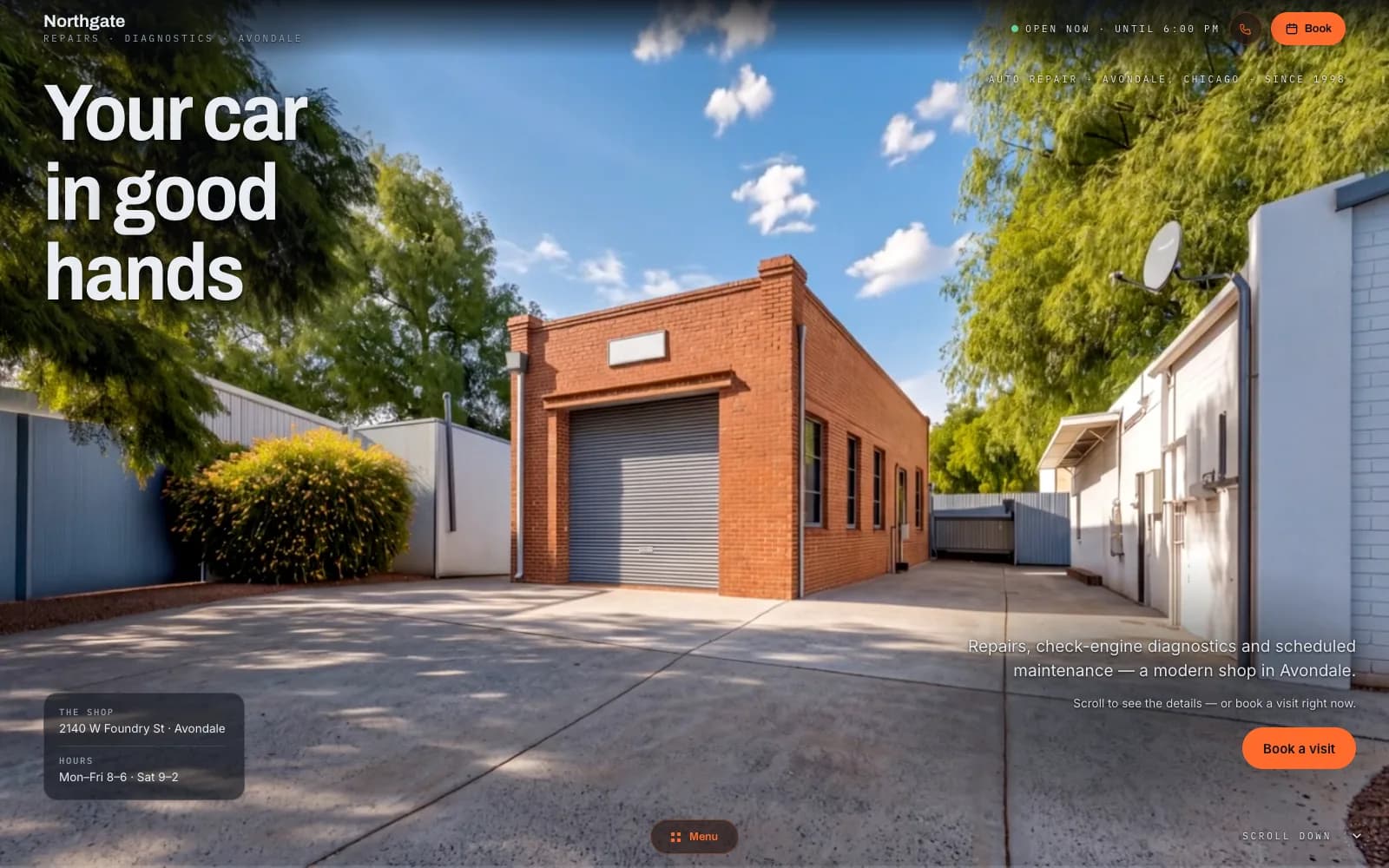
A demo of an auto-repair site: a Chicago workshop with a service list, online booking, opening hours and a call bar — the structure and features your site would get, with a design of its own.
01
Service list with prices from
Oil change, brakes, timing belt, diagnostics, air-con, each with a short plain description and a price from. A driver who knows roughly what it will cost books; one who has to phone to find out often phones the next shop.
02
Online booking
Pick the service, pick a day and a slot, leave the plate number and a phone. It lands in your calendar and in your inbox; you confirm or move it. No back-and-forth calls while your hands are dirty.
03
Call and WhatsApp bar
On the phone, a bar pinned to the bottom of every page: call, WhatsApp, directions. A driver with a warning light on doesn't scroll for a number; it's under the thumb. Every tap counts as a lead.
04
Opening hours and map
Today's hours shown as open or closed right now, holidays included, and a map that opens navigation in one tap. The hours match what you show on Google, so a customer never gets two answers.
05
Customer reviews from Google
Your latest reviews pulled onto the site, next to the booking button. Trust is the thing a workshop sells first; the reviews do that work before you say a word.
06
Before/after gallery
A rusted subframe next to the replaced one, a cloudy headlight next to a clear one. Photos from your own bay, taken on a phone, with a line of caption each. They say more about the shop than any paragraph I could write.
Most websites for auto repair shops are either a Facebook page or a template from a directory that shows your address and a stock photo of a spanner. Neither answers the two questions a driver has at the moment something starts rattling: can they do it, and roughly what will it cost. If the page answers both and offers a slot, the driver books. If it doesn't, they open the next result. That moment happens on a phone, usually at the side of the road or in a car park, and the page has a few seconds to earn the tap. A workshop that answers first gets the car.
I build the auto repair shop website myself, with AI doing the hours and me making the calls. It's server-rendered, so the service pages are indexable on their own: a search for timing belt replacement in your town can land straight on that service, not on a directory that resells your lead. One person is accountable for the whole thing, from the copy to whether the booking form actually reaches you. When you want a price changed or a service added, you message the person who can do it, and it's usually done without a ticket, a queue or a meeting. A workshop site doesn't need to be big; it needs to be current, and that means a change has to be cheap and quick.
There is no build fee and no agency retainer. You pay a monthly plan; I host the site, keep it updated and change what you ask me to change. If it stops bringing cars into the bay, you cancel — the plan runs month to month, and the photos stay yours. The site runs on a free Givyx subdomain; if you want your own domain, you buy it in your name and I connect it for free.
first month free
- Up to 15 pages
- Everything in Starter
- Online booking
- Unlimited changes (new features quoted first)
- Advanced SEO
- Analytics dashboard
- Priority support
- 1 design refresh / year
First month free — you pay from month two, and only if you keep the site. Changes are unlimited on the Studio plan, and online booking is included. Other plans on the pricing page; no build fee on any of them.
Can customers book without calling me?
Yes. They pick a service, a day and a slot from the ones you've opened, leave a plate number and a phone, and the booking lands in your calendar and inbox. You confirm with one tap or move it if the bay is full. Plenty of people won't phone a workshop but will book from a form at ten in the evening; those are the ones you're picking up.
Should I show prices or hide them?
Show a “from” price for the routine jobs: oil, brakes, timing belt, air-con service. It filters out the people who'd never pay your rate and reassures the ones who would. For diagnostics and bodywork write “from” and a note that the final figure comes after a look. Hiding every price mostly sends people to the shop that shows one.
How long until it's live?
In a few days you have a version to click through, with your services and hours in it. It goes live once you've approved the copy, the prices and the photos, which usually means two to four weeks. The booking calendar is switched on the day the site goes live, with the hours you've set.
Who keeps the site up to date?
Both of us. Prices and the service list you edit yourself in the panel, from a phone if you like. Hours, the gallery and anything else on the page: send me the change, a message is enough, and it goes live once I've read it. Changes are unlimited on the Studio plan. AI drafts the text, I read every line before it goes live, and nothing ships that neither of us has looked at.
What does a lead cost me?
Nothing per lead. The plan is a flat monthly fee whatever comes in; there's no charge per call, per booking or per form. Every call tap, WhatsApp tap and booking is counted with its source, so you can divide the plan by the month's leads yourself and see what a lead actually costs you.
◆ let's build
Tell me what you specialise in and how many bays you run. I read every message and reply within a day.